Load raster image
Loading a raster image will normally be the first operation you perform with TraceART. From the File menu select the Open Raster option. The file selection window will appear from which you can locate and identify the desired raster file.
Raster to Vector Converter will read the following file types:
. BMP – Bitmap files [*.bmp]
. PNG – Portable Network Graphics.
. JPG abbreviation of the Joint Photographic Group.
By default the file selection window will display files with names ending in .bmp, .png,.jpg and .gif, but you can show all file names by selecting the All Files (*.*) option in the Files of type box.
How to setup vector parameter
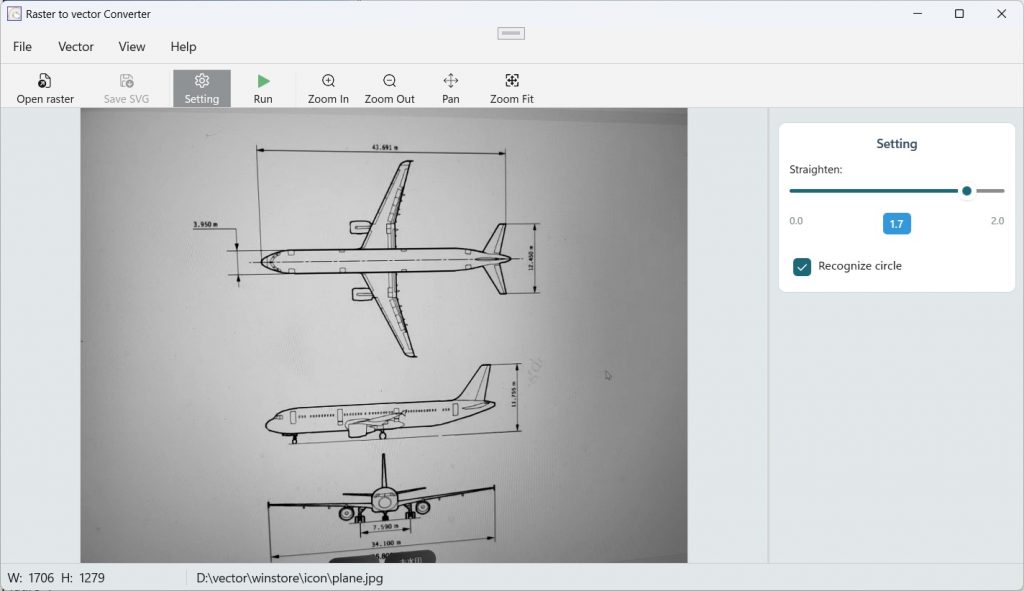
1. Straighten
Straighten indicates when curve is pulled into beeline, the dot in the curve is the maximum distance from the beeline .It can be indicated below the diagram.
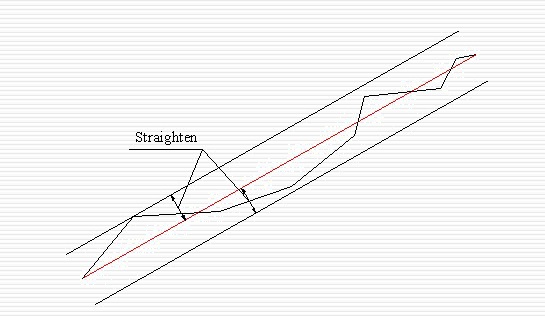
Figure 1
Seen from the figure 1: the more large when straighten is, the more far beeline segment is from original curve and the little beeline segment can be generated.
Otherwise the nearer beeline segment generating is from original curve and the more beeline segment will be generated. (How to adjust the value of the straighten? when curve is not enough circularity smooth, decrease the value of the straighten to let curve more circularity smoothing .At the same time vector data will increase according to it.
As figure
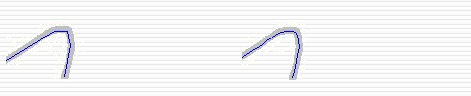
Figure 2 Straighten = 1.5 figure 3 Straighten = 0.1
When straighten be equal to 0.1, vectorization curve is obviously more circularity smoothing than which at Straighten equal to 1.5.
When you find beeline is not enough straight, increase the value of the straighten to get more straight. Or you can click  Preview in the vector adjust dialog box to preview the results.
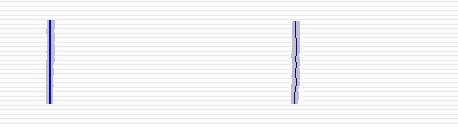
Figure 3 Straighten = 1.5 figure 4 Straighten = 0.1
Vectorization
Click the “Run” button, Raster to Vector Converter will trace raster image and generate vector image.
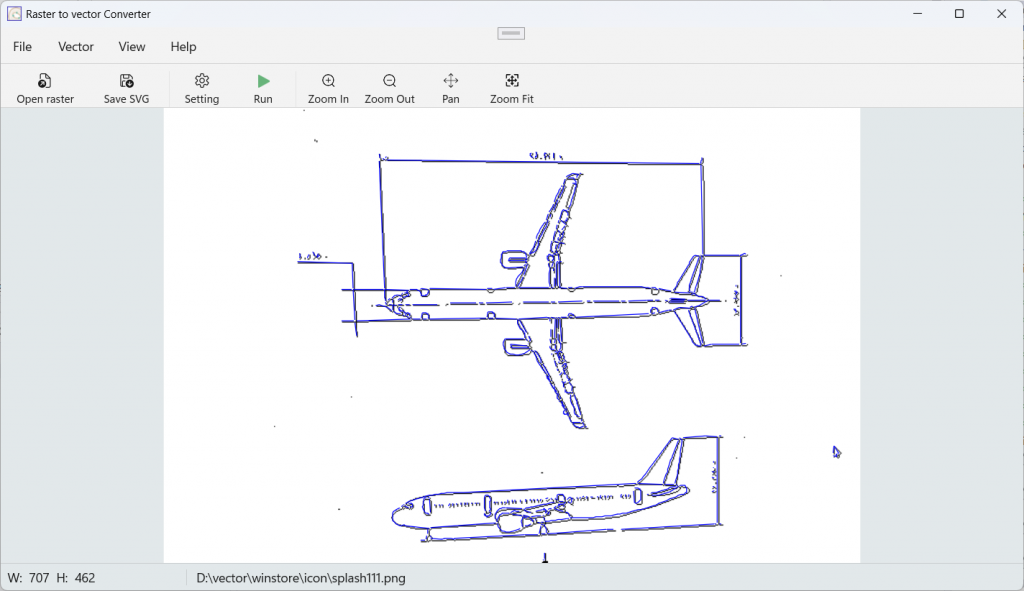
Save vector data
Click “Save SVG” button, It will pop up a file save dialog box. Raster to Vector Converter will store vector image as DXF file